Operation Types


List of Operations:
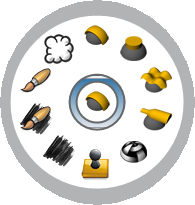
There are ten types of operations, each type has it's own properties and settings, by default when an operation is added new operation is set as Operation By Profile, except if you have selected geometry at the time to add the operation, the it will be added as Operation Based on Geometry.
|
By Profile |
It creates an operation which works with a given profile and a curve or curves on plane (a rectangle in this case) that will be use to create the geometry. |
|
|
Extrude |
This operation creates a geometry extruding curves. |
|
|
Base on Geometry |
This operation creates a geometry using Rhino object as such as surfaces, solid or meshes. It is great if you want to use your Rhino models inside RhinoEmboss. |
|
|
Revolve |
This operation creates geometry revolving one or more curves. The revolve axis is a line between the start and end point. |
|
|
Heightfield |
This operation creates a relief from a texture image. |
|
|
Stamp |
This operation allow to create relief from stamps geometry. We included in RhinoEmboss a library of stamps. |
|
|
Carbon Copy |
This operation allows to use an image to create a relief. It creates the relief, but it keeps the image to be use in other operations. |
|
|
Carbon Copy by Brush |
This operation allows to use an image to create a relief, but the main difference with Carbon Copy is we can sculpt on the image. |
|
|
Sculpt |
This operation allows to sculpt on the relief. This operation is great to add details manually on your project. |
|
|
Smooth |
This Operation allow to smooth any surface, the work flow is the same than a brush operation |


