Decimator


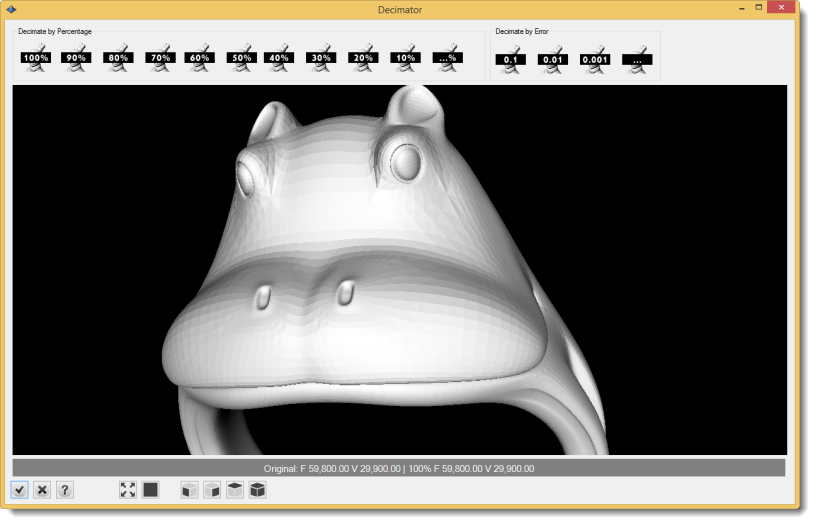
This tool allow us to reduce the mesh density in order to have lighter results, avoiding extremely heavy files and keeping the details:
|
Toolbar |
RhinoEmboss > Decimator |
Menu |
RhinoEmboss > Decimator |
|
Command |
RhinoEmbossDecimator |
Steps:
1. Select the Mesh to reduce density.
2. Click on one of the Density icon; by percentage or by error.
There are other tools as:
Model information: Describe the original model and decimated model details as number of faces and vertices.

Zoom Extens: Center the model in the viewport.

Display Mode: Wireframe, shaded and points
Set View: Front, Side, Top and Perspective
